Motion Transfer AI: How It Works, What It Costs, and the Best Tools in 2026
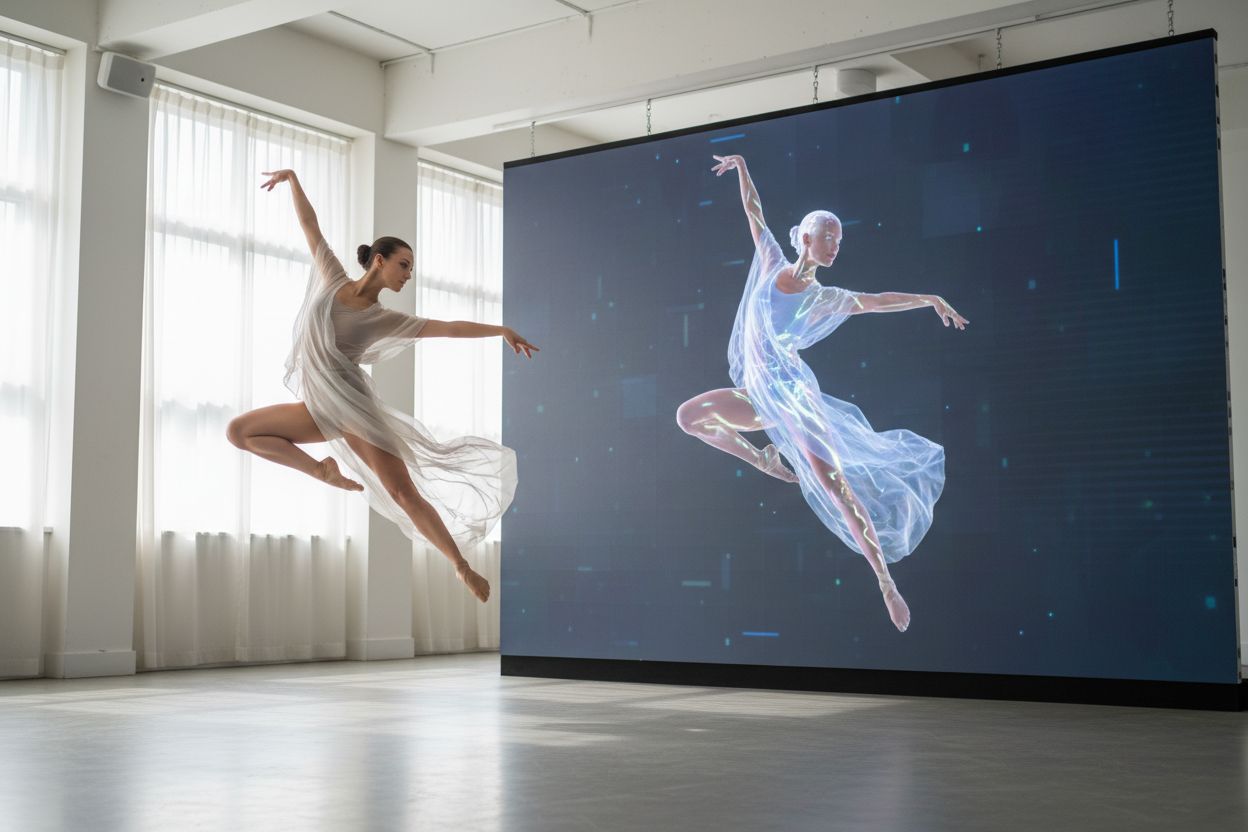
Motion transfer is an AI video technique that extracts the body motion, camera movement and timing from a reference video and re-renders them with a different subject, identity or style — so the new video keeps the original's performance frame for frame, while the person and the world around them are generated from scratch. You supply two things: a clip that shows how the video should move, and a photo (or a style instruction) that shows who or what should appear. The result is a new piece of footage, not an edit of the old one — which is exactly why it looks convincing, and why it has become the defining AI video format of 2026.
How motion transfer actually works
It helps to un-learn the face-swap mental model first. Older "put your face in a video" tools cut a face out of a photo and pasted it onto the performer in the original footage, frame by frame — your features on someone else's skull, hair and lighting. Motion transfer does the opposite. Nothing is pasted; the output is regenerated pixel by pixel. Two ideas do the work:
- Pose and motion estimation. The model first watches the reference clip and reduces every frame to a structural skeleton: where the body joints are, how the head tilts, what the hands do, how the camera drifts, zooms or cuts, and the exact timing of all of it. Think of it as a very detailed motion-capture readout — the choreography without the dancer.
- Identity-conditioned video generation. The model then generates a brand-new video that follows that skeleton, conditioned on your reference photo(s). Your face, head shape, hair, body and clothes are rendered together with the scene and lighting, so the likeness moves as one coherent person rather than a mask floating over footage.
Two more details fall out of this design. First, the camera is part of the skeleton: a dolly-in, a whip pan, a hard cut on the beat all carry over, which is why recast clips feel professionally shot even when the performer never left their sofa. Second, because the output is a new render rather than a manipulated copy, the current generation of models can keep the original clip's sound and rebuild everything visual around it — the track, the dialogue beat, the ambient noise stay intact while the picture is replaced.
Because the motion is re-rendered rather than copied as pixels, the same machinery supports two mirror-image jobs: recasting — keep the motion, change the person — and restyling — keep the person, change the world (outfit, setting, art style, season). The first is the viral "star in any clip" format; the second is how a product video shot in July becomes a Christmas ad in October. Our companion pieces cover the two workflows in detail: making an AI video with your face in it and why the recast trend took over feeds.
What people actually use it for in 2026
Past the novelty clips, four uses have settled into real workflows:
- UGC-style ads without filming. A brand takes one product-demo or testimonial clip and recasts it with different presenters for different audiences — no reshoots, no casting days. This is now a standard move in performance marketing; our UGC ads tool is built around exactly this loop.
- Faceless and virtual-personality channels. Creators build a consistent character once — from photos or a generated persona — and recast that character into every trend format worth joining, daily if needed. We walk through the whole setup in how to start a faceless channel with AI.
- Memes and trend formats. The group-chat use case: an iconic scene, a dance challenge, a sports highlight — re-performed by you, a consenting friend, or an obviously fictional character. Fast to make, instantly legible, and still the most-shared AI format on social.
- Film previsualization. Directors and animatics teams shoot a rough reference on a phone — a stunt, a camera move, blocking — and recast it with the intended character design to test whether the shot works before spending on the real thing. Motion transfer turns previz from a specialist job into an afternoon.
What ties all four together is that the expensive part of video — performing and filming — is replaced by a reference clip that already exists. That is also why output length works the way it does: the generated video is exactly as long as the clip you feed it, typically somewhere between 4 and 30 seconds, which conveniently matches the 30-second formats that dominate social.
The tool landscape, as of October 2026
Motion transfer now ships under several brand names — Genjutsu at Higgsfield, Motion Control at Kling, Recast at Hailuo — on top of broadly similar technology. The practical differences are price, free access, and how much interface you have to fight:
| Tool | Free access | Paid pricing (as of Oct 2026) | Notes |
|---|---|---|---|
| Hermosso Motion Transfer | 400 free credits for new accounts | 450 credits/sec at 768P, 700/sec at 1080P; plans from $9/mo (5,000 credits) | Runs MiniMax's Hailuo H3 Max Recast; up to 8 reference photos for steadier identity; recast and restyle in one screen |
| Higgsfield (Genjutsu) | None — free plan lists 0 credits and adds a watermark on free generations | Plus lists at €59/mo (€47/mo billed annually) for 1,200 credits; per-render cost shown in the generator | The tool that started the trend; motion-transfer plus object-swap modes |
| Kling (Motion Control) | Daily free credits reported for non-paying accounts | Paid plans list from around $10/mo (third-party checks; Kling's own pricing is hard to verify programmatically) | Transfers motion onto a character in a still image; strong at single-character clips |
| Hailuo AI direct (MiniMax) | Free tier with limited credits | Standard lists at $14.99/mo for 1,000 credits in MiniMax's subscription terms | The platform behind the recast model Hermosso uses — more dials, steeper interface |
Two honest caveats about this table. First, prices in this space move monthly and vendors show some numbers only inside the generator, so treat every figure as "as of October 2026" and check before you budget. Second, the cheapest headline price is rarely the cheapest finished clip — what matters is the cost of one usable second of output after failed generations and retries, which is why per-second pricing with refunds on failures beats a big monthly credit bucket you burn through on queue errors.
What it costs: the math on a real clip
Motion transfer is billed per second of the reference clip, because the output is exactly that long. On Hermosso, standard quality (768P) costs 450 credits per second and pro (1080P) costs 700 — so the canonical 5-second trend clip costs 2,250 credits at 768P or 3,500 at 1080P. Put that against the credit tiers: the 400 free credits new accounts get are enough to run the workflow end to end on a trimmed 1–2 second test and see whether your photo and clip pair well, but not enough for a finished 5-second render. The $9/month Starter plan's 5,000 credits cover two 5-second 768P clips (4,500 credits), or one full pro render plus drafts. Top-up packs start at $10 for 5,000 credits if a project outruns the monthly allowance.
The workflow this pricing rewards: trim the reference to its best five seconds, draft at 768P until the likeness and motion are right, and spend 1080P credits only on the final render. Iterating at the top tier is how a $9 experiment turns into a $30 one.
How to do it, step by step
- Choose the reference clip first. The clip sets the difficulty: one performer, mostly facing camera, minimal occlusion, no chaotic camera work. Trends are easiest to copy from a clean source rather than a screen recording of a screen recording.
- Pick strong identity photos. Sharp, well-lit, front-facing, no sunglasses or heavy shadows. Add extra angles where the tool allows it — Hermosso's Motion Transfer accepts up to eight on its high-quality path — because turns and fast movement are where likeness is won or lost.
- Upload both and pick a quality tier. Standard (768P) for drafts and anything destined only for compressed social feeds; pro (1080P) for clips you will reuse, pin, or show on a larger screen.
- Generate and diagnose the result. Identity drifting? Swap in a sharper photo before touching anything else. Motion breaking? Trim the clip to its cleanest few seconds. Hands or objects crossing the face? Expect a retry or two — that is the hardest case for every tool in the table.
- Label it when you post. TikTok, Instagram and YouTube all require or push AI-content disclosure; the biggest creators in this format label everything and treat it as part of the joke, not a confession.
When motion transfer is NOT the right choice
The honest limits, because they cost credits when ignored:
- You need an original performance, not a copied one. Motion transfer can only move the way the reference clip moves. If no clip exists of the thing you want, that is a text-to-video job, not a recast job.
- The footage is long-form. Clips are capped around 4–30 seconds and identity tends to soften on the long end. A two-minute talking-head video is a different tool category entirely — see our Hailuo Recast notes for where the current ceiling sits.
- Precision lip-sync or dialogue performance matters. Motion transfer copies gross movement and timing, not nuanced facial acting; a scripted spokesperson video with exact delivery is better served by a talking-avatar tool.
- The reference is visually chaotic. Heavy occlusion, whip pans, extreme close-ups with hands over the face, multi-person tangles — every current model struggles here. Restyle (keeping the original performer) survives chaos far better than recast, because it never has to invent a person.
- The person in the clip hasn't said yes. Recasting a real, identifiable person without consent is the deepfake use case: illegal in a growing number of jurisdictions, removed by every major platform, and the one application responsible tools refuse to support. Yourself, fictional characters, and friends who are in on it — that is the whole lane, and it is wide enough.
Star in your first video today
One photo of you, one clip you love — Motion Transfer does the rest. New accounts get free credits, and a 5-second video costs less than a coffee.
Put yourself in a video →Frequently asked questions
What is motion transfer in AI video?
Motion transfer is an AI technique that reads the body motion, camera movement and timing from a reference video and generates a new video that follows that movement with a different person, character or style, so the output is re-rendered from scratch rather than edited from the original footage.
How does AI motion transfer work?
Motion transfer works in two stages: pose and motion estimation reduces each frame of the reference clip to a structural skeleton of body positions and camera movement, then an identity-conditioned video model generates a new performance that follows that skeleton using your reference photos, so the person, scene and lighting are rendered together as one coherent video.
Is motion transfer the same as face swap?
No — face swap pastes your face onto the original performer's head and keeps their bone structure, hair and lighting, while motion transfer regenerates the entire performer and scene from your reference photo, which is why motion transfer results read as a real person in a real video instead of a pasted mask.
What are the best motion transfer apps in 2026?
The main motion transfer tools as of October 2026 are Hermosso's Motion Transfer, which runs MiniMax's Hailuo H3 Max Recast with per-second pricing of 450 credits at 768P and 700 at 1080P, Higgsfield's Genjutsu, Kling's Motion Control, and Hailuo AI's own platform, and they differ mainly in free access, pricing transparency and interface complexity.
Can I use motion transfer for free?
Yes, with limits: Hermosso gives new accounts 400 free credits, Kling offers daily free credits, and Hailuo AI has a limited free tier, while Higgsfield's free plan lists 0 credits and cannot render Genjutsu clips at all — though note that a finished 5-second clip on Hermosso costs 2,250 to 3,500 credits, so free tiers suit testing rather than production.
How much does a motion transfer video cost?
On Hermosso, motion transfer costs 450 credits per second at standard 768P quality or 700 credits per second at 1080P pro, so a 5-second clip costs 2,250 to 3,500 credits and plans start at $9 per month for 5,000 credits with top-up packs from $10.
How long can a motion transfer video be?
Current motion transfer tools accept reference clips of roughly 4 to 30 seconds, and the generated video is exactly as long as the clip you upload, so longer videos need to be cut into segments and recast separately.
Is it legal to recast yourself into someone else's video?
Recasting yourself or a consenting person into a clip's format is generally treated like joining a trend, but putting a real, identifiable person into a video without their consent is illegal in a growing number of jurisdictions and banned by every major platform, and re-uploading someone's footage can raise separate copyright questions regardless of the AI step.