GPT Image 2 on Hermosso
OpenAI's image model: the strongest instruction-follower in the studio, with text that actually reads.
What GPT Image 2 does best
It follows the brief
GPT Image 2 is the strongest instruction-follower we've tested: complex, multi-part prompts — 'a poster with this exact headline, three objects arranged left to right' — come back right more often than with anything else.
Text and graphics that read
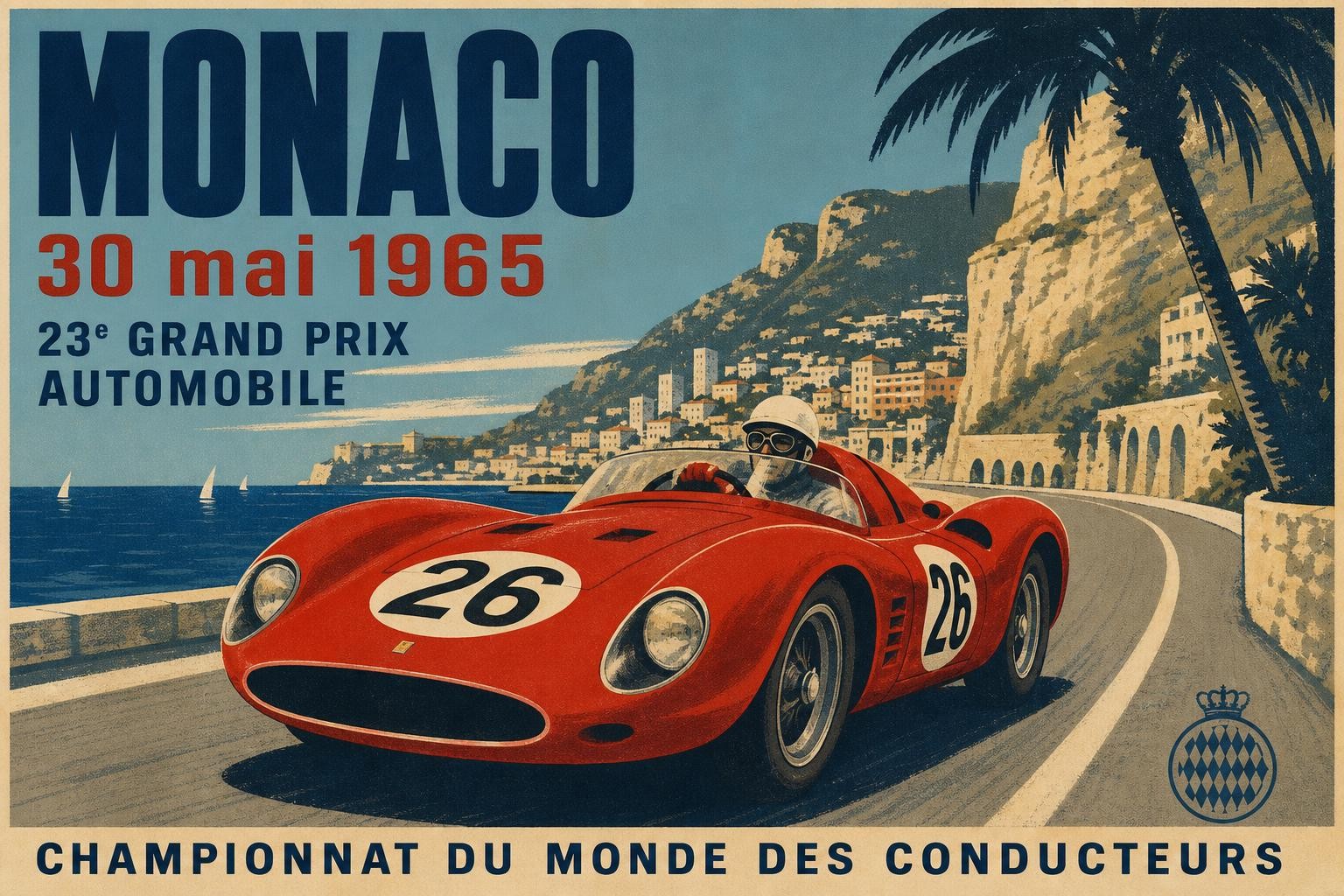
Headlines, labels, layouts — when the image has to contain words, GPT Image 2 is one of the two models we reach for (Ideogram is the other). The Monaco poster above is a single generation, not a composite.
Reference-capable
GPT Image 2 accepts reference images, so it edits as well as it generates: upload a photo and ask for changes, compositions or fusions.
Worth knowing: the pace
Expect around a minute per image at 100 credits — deliberate rather than instant. For drafts and variations, run the fast tier first and bring the winning prompt back here.
Made for the work you ship
Posters with real headlines
Exact wording, arranged where you asked — the brief-following strength shows most on text-heavy work.
Complex scenes
Multi-subject, multi-constraint prompts are where weaker models improvise; GPT Image 2 stays on-script.
Structured edits
Attach a reference and describe precise changes — instruction-following applies to edits too.
Specs at a glance
- OpenAI
- Best instruction-following
- Legible text
- Reference edits
- 100 credits / image
How to use it
- Open Hermosso's Create studio and write your prompt — be as specific as you like; this model rewards detail.
- Attach a reference photo if the job starts from an existing image.
- Pick GPT Image 2 and generate — 100 credits per image, around a minute each. New accounts get 400 free credits.
Prompt guide: getting the best out of GPT Image 2
- GPT Image is the strongest at legible text — spell every word you want rendered in quotes and assign it a surface ('on the storefront awning').
- It handles dense multi-subject scenes: enumerate objects left to right instead of relying on 'a cluttered desk'.
- Style words like 'editorial photograph' or 'flat vector illustration' swing it hard — pick one lane per prompt.
A cozy bookshop storefront at dusk, the awning reads 'PAGE & PROSE' in warm gold lettering, cat asleep in the window display
Flat vector illustration of a farmers market stall with oranges, flowers and bread, left to right, cheerful limited palette
Editorial photograph: a chef plating a dessert in a Michelin kitchen, tweezers placing a micro-herb, shallow depth of field
See real results with their full prompts in the Made with Hermosso gallery.
Frequently asked questions
What is GPT Image 2?
GPT Image 2 is OpenAI's image generation model — in our studio tests, the strongest instruction-follower available: complex multi-part prompts and exact text come back right more often than with any other model. It costs 100 credits per image on Hermosso.
GPT Image 2 vs GPT Image 1 — what's new?
GPT Image 2 is OpenAI's current image model — the successor generation with sharper instruction-following and text rendering. It's the version available in Hermosso's Create studio.
How do I use GPT Image 2 on Hermosso?
Open the Create studio, write a prompt (the more specific, the better), optionally attach a reference photo, and pick GPT Image 2 — 100 credits per image. New accounts get 400 free credits, and plans start at $9/month.
Is GPT Image 2 good at text in images?
Yes — it's one of the two models we recommend for text-heavy work (Ideogram is the other, especially for posters and logos). Exact headlines and arranged layouts are its signature strength.
GPT Image 2 vs Nano Banana 2 — which should I pick?
GPT Image 2 for complex prompts, text and exact layouts; Nano Banana 2 for maximum resolution (up to 4K) and likeness-keeping photo edits. Both cost 100 credits at their base tier — test the same prompt on both.
Try GPT Image 2 on Hermosso
One credit balance across every model in the studio. New accounts get 400 free credits — and credits never expire.
Try GPT Image 2