How to Take Professional Pictures at Home (2026 Guide)
Professional-looking photos have never required a professional studio — they've required professional light, which is free, and a bit of method, which is below. Here's the home setup that genuinely works, and where AI closes the remaining gap (or replaces the camera entirely).
The setup: window light and distance
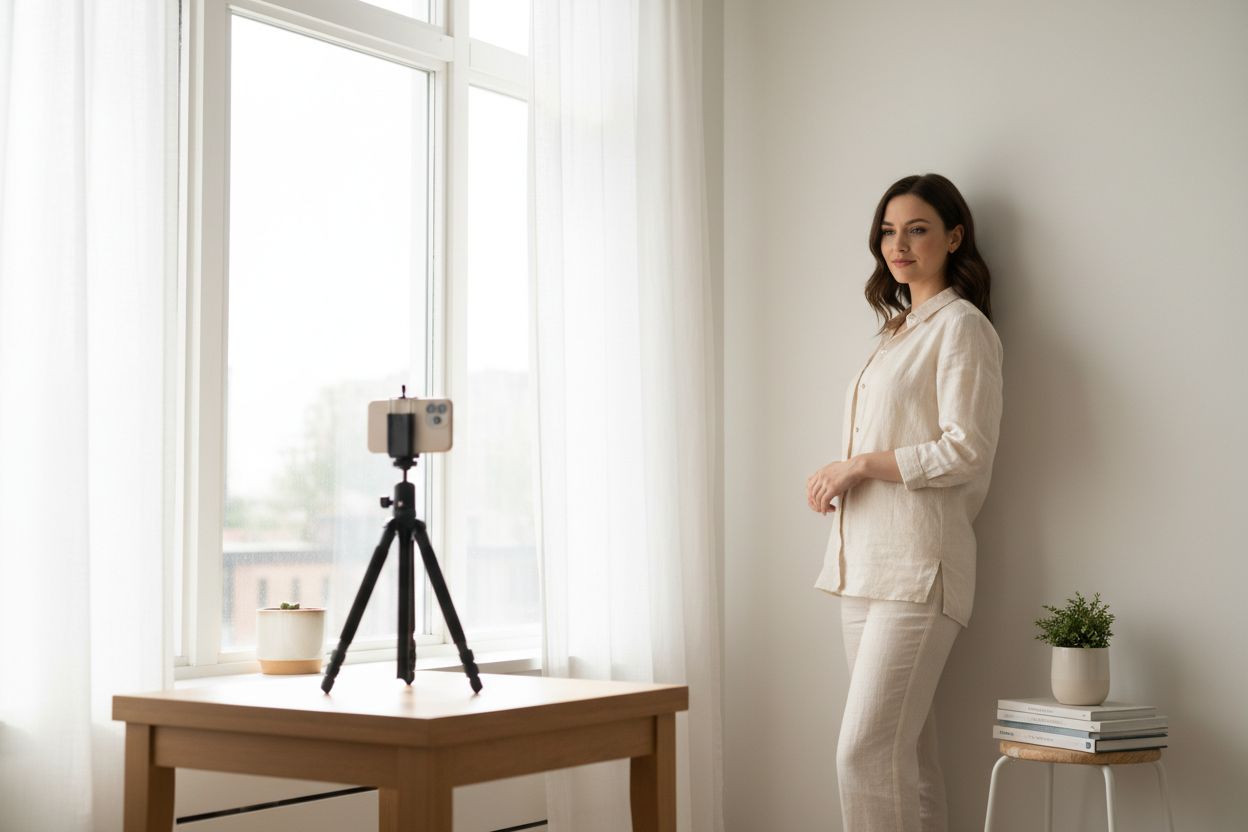
Ninety percent of "professional" is soft, directional light. Stand facing a large window — not in direct sun — so the light wraps your face evenly. That's it. A white wall or a tidy, uncluttered corner as backdrop, and you're most of the way to a headshot a studio would charge for.
Two distance tricks that separate phone photos from phone portraits: step at least a metre from the background so it falls softly out of focus, and have the camera at eye level, an arm's length or more away — close-range selfies distort facial proportions in a way viewers register as "amateur" without knowing why. A stack of books and your phone's self-timer (or a friend) beats an outstretched arm every time.
Shooting: ten minutes, done right
- Use the rear camera. It's the good sensor; the selfie camera is for video calls.
- Tap to focus on the eyes and lock exposure — no blown-out window behind you.
- Shoot in short bursts while changing one thing at a time: angle of the shoulders, chin slightly forward and down, a real smile (think of something funny, don't perform one).
- Wear contrast. Solid colours that stand off from your backdrop read as "styled"; busy patterns read as laundry day.
The AI finish: closing the last 10%
Even a great home shot carries tells — a slightly soft frame, a background that's almost tidy, light that's 80% right. This is where the tools earn their keep:
- Soft or small source? The 22K upscaler sharpens and unblurs, so a phone photo survives a large display or a print.
- Background not quite there? Relight replaces the scene and re-lights you to match — golden hour, studio softbox, office window — identity preserved. For a plain cutout, the Background Remover does it in one click.
- Cropped too tight? The Image Extender outpaints past the borders for a wider, more breathable crop.
Or skip the camera entirely
Worth saying plainly: if the goal is a professional photo of you, the camera step is now optional. Upload 10–20 everyday selfies to Hermosso's AI Persona, and a private model of your face trains in about two minutes — then packs like Studio Headshot Pro or LinkedIn Headshots generate the studio session itself: the light, the backdrop, the styling, in a dozen variations. Many people do both — home shots for the candid stuff, AI for the polished set.
Either way, the test is free: new accounts get 400 credits on signup, and tools run at 50 credits each.
Try it on your own photos
Upload a few selfies, and Hermosso trains a private AI model of you — then generates studio-quality photos in any style. Your first credits are free.
Create your AI photos →Frequently asked questions
How do I take professional pictures at home?
Face a large window out of direct sun, stand a metre from a plain background, use your phone's rear camera at eye level with the self-timer, and shoot in bursts while varying your pose. Finish with AI tools — upscaler for sharpness, Relight for a better backdrop — or skip the camera and generate studio shots from an AI persona trained on your selfies.
Can a phone really take professional-quality photos?
For headshots and portraits, yes — modern phone sensors are not the bottleneck; lighting and distance are. Soft window light, separation from the background and the rear camera get you most of the way, and AI finishing handles sharpness, backdrops and crops.
How can I make a home photo look like a studio shot?
Two options: reshoot it in AI — Hermosso's Relight swaps in a studio backdrop and relights you to match — or generate the studio session directly from an AI persona trained on 10–20 selfies, using packs like Studio Headshot Pro.
What should I wear for professional photos at home?
Solid colours that contrast with your backdrop, and whatever matches the photo's purpose — business or business casual for professional use. Avoid busy patterns, and keep it consistent if you're shooting a set.